Amazon Flex Driver Fake Location on iPhone: 2026 iOS Fake GPS Guide
Latest 2026 guide for Amazon Flex Driver fake location, iOS fake GPS, and iPhone location modify workflows with QPin hardware system GPS control.
Amazon Flex Driver Fake Location on iPhone: 2026 iOS Fake GPS Guide
Searches for Amazon Flex Driver fake location, Amazon Flex fake GPS, and iPhone location modify usually come from a real pain point: blocks disappear fast, Instant Offers feel location-sensitive, station arrival does not update, or an iPhone blue dot keeps jumping around a warehouse lot. In 2026, the practical question is not just "can I fake GPS?" It is "what changes when the iOS system location changes, and what does Amazon Flex still control?"
That is not how Amazon Flex should be analyzed. There are at least three separate layers:
- Your Amazon Flex account, region, schedule, block status, and station eligibility.
- The iPhone system location reported by iOS Location Services.
- Amazon Flex app logic, including station, timing, route, network, sensor, and policy checks.
QPin Hardware works on the second layer. In supported setups, it can change the iPhone system location to a selected coordinate. Apps that rely on iOS Location Services usually read that current iPhone location. That makes QPin useful for controlled Amazon Flex GPS testing, station pin comparison, weak-signal troubleshooting, demos, support reproduction, QA, and privacy workflows. It does not edit your Amazon Flex account or force Amazon Flex to accept a coordinate.
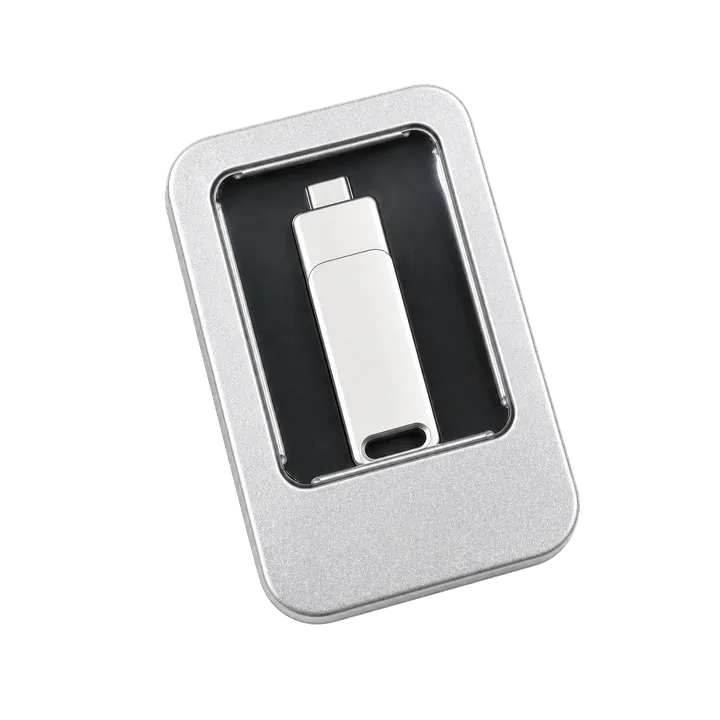
Which Amazon Flex Location Problem Are You Solving?
Before choosing any Amazon Flex fake GPS or location modify workflow, identify the job you need the iPhone location to do. Not every Amazon Flex location issue is the same.
If you are trying to move your Amazon Flex account to another city or delivery area, that is an account-side change. QPin will not edit region approval, station eligibility, or account settings. If you are trying to understand why the app says you are not at a station, start with Apple Maps and confirm whether the iPhone system GPS is stable. If you need a repeatable test coordinate for demos, QA, privacy, or support reproduction, QPin can modify the iPhone system location without modifying the Amazon Flex app.
If your goal is account relocation, use Amazon Flex support or in-app settings. If your goal is to troubleshoot iPhone GPS drift, verify the phone first in Apple Maps. If your goal is controlled device testing, QPin gives you a way to set the iPhone system location without modifying Amazon Flex.
What QPin Actually Changes
QPin changes the iPhone system location in supported setups. That means the selected coordinate is applied below the app level, so the same device location can be checked in Apple Maps, QA tools, route demos, and location-based apps that read iOS Location Services.
This matters because many fake GPS tools focus on a single app or a fragile software layer. Some require patched apps, cloned apps, sideloaded profiles, developer-mode traces, or jailbreak workflows. QPin is different:
- No Amazon Flex app modification. The app package remains untouched.
- No jailbreak requirement. The workflow is designed around supported iPhone setups.
- System-level iPhone location. The selected coordinate is visible at the iOS location layer.
- Hardware-isolated workflow. The location workflow is kept outside the Amazon Flex app package.
- Repeatable testing. You can compare Apple Maps and Amazon Flex from the same selected coordinate.
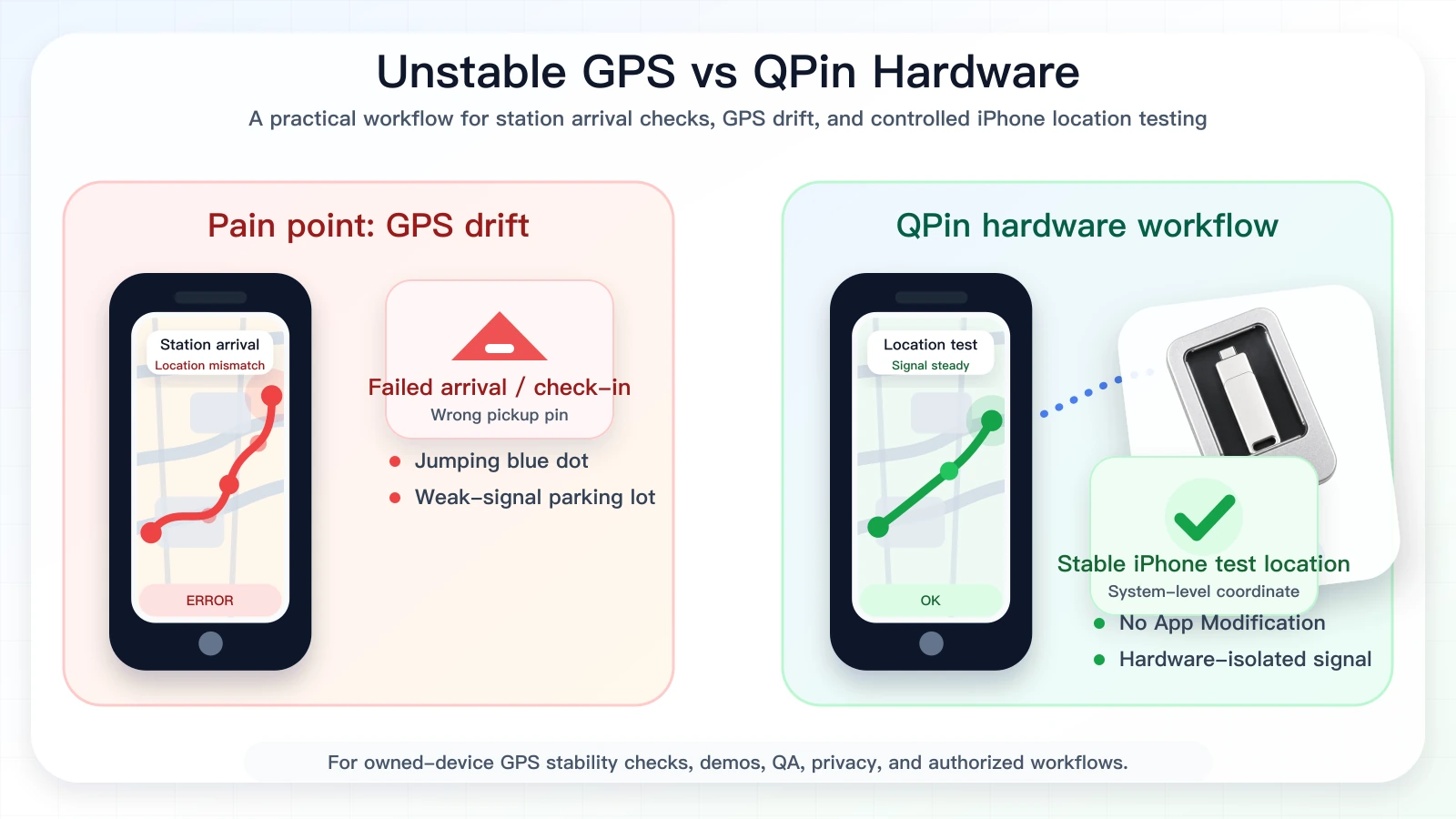
What Amazon Flex Still Controls
Changing the iPhone system location is not the same as controlling Amazon Flex. Amazon Flex can still evaluate the workflow around the coordinate:
This is why a professional workflow starts with verification. First confirm what Apple Maps sees. Then compare Amazon Flex. If Apple Maps shows the QPin-selected coordinate but Amazon Flex still behaves differently, the issue may involve account state, station assignment, timing, route state, network context, or Amazon Flex app logic.
Safer QPin Workflow for Amazon Flex GPS Testing
Use this workflow when you own the device and are allowed to test location behavior:
- Make sure the Amazon Flex app itself is not modified.
- Turn on Location Services, Precise Location, cellular data, and Wi-Fi.
- Connect QPin using the QPin Hardware Manual, QPin Desktop, or the Mac/Windows setup guide.
- Select a station driveway, warehouse entrance, or neutral QA coordinate.
- Apply the coordinate to the iPhone system location.
- Open Apple Maps first and verify the blue dot.
- Open Amazon Flex fresh and document what the app displays.
- Stop the test and return the iPhone to real GPS.
This workflow is useful for station-arrival drift, wrong warehouse pins, route-start testing, training screens, customer-support evidence, and QA reproduction. It is not a promise of offer access, account outcome, station acceptance, or platform approval.
Why Hardware Is More Convincing Than Software-Only Tools
Amazon Flex station lots are difficult GPS environments. Warehouses often have metal roofing, loading bays, indoor pickup lanes, tall walls, dense vehicles, and weak satellite visibility. The phone may bounce between satellite GPS, Wi-Fi positioning, and cellular estimates. A software-only overlay can make that environment more fragile because it adds another software layer to an already noisy location stack.
QPin Hardware is stronger because it is not trying to patch Amazon Flex. It provides a controlled location workflow at the iPhone system-location layer. That makes testing easier to audit: selected coordinate, Apple Maps result, Amazon Flex result, timestamp, app version, and network state.
For conversion-focused users, the value is straightforward: QPin can change iPhone location at the system level, and that location can be read by apps that depend on iOS Location Services. For serious testing, this is more useful than a random fake GPS app because you can reproduce the same coordinate again and again.
Test Evidence to Capture
For Amazon Flex Driver fake location and iOS fake GPS searches, the highest-converting users are usually not looking for vague claims. They want proof that the phone location changed cleanly. Capture a small evidence set before making decisions:
This turns a risky "does fake GPS work?" question into a controlled iPhone location modify test. It also gives product teams and support teams something concrete to compare when warehouse GPS, Instant Offer visibility, or station check-in behavior changes between sessions.
Compliance Note
QPin is not affiliated with Amazon Flex, Amazon, DoorDash, Uber Eats, Spark Driver, Walmart, Uber, Lyft, or any delivery platform. Users should follow the rules of the apps and platforms they use.
QPin is designed for owned-device testing, GPS stability checks, demos, privacy, QA, support reproduction, and authorized workflows. QPin can change iPhone system location in supported setups. Amazon Flex can still apply account, station, network, sensor, timing, geofence, and policy checks.
Related Guides
- How to change location in Amazon Flex app
- Amazon Flex location not accurate on iPhone
- Amazon Flex app says you are not at the station
- Best iPhone GPS stability tool for delivery and ride-hailing
- QPin Hardware Manual
FAQ
Can QPin change iPhone location for Amazon Flex testing?
Yes. In supported setups, QPin can change the iPhone system location to a selected coordinate. Apps that rely on iOS Location Services usually read that system location. Amazon Flex can still apply account, station, network, sensor, timing, geofence, and policy checks.
Does fake GPS help with Amazon Flex blocks?
Driver discussions often separate scheduled blocks from location-sensitive Instant Offers. Even when iPhone location changes, Amazon Flex may use many other signals and marketplace rules, so this should not be treated as a reliable block-acquisition method.
Is QPin a modified Amazon Flex app?
No. QPin does not modify the Amazon Flex app package, inject code, clone the app, or require a jailbreak. It works with the iPhone system-location layer in supported setups.
What should I use QPin for?
Use QPin for owned-device testing, GPS stability checks, QA, demos, privacy workflows, support reproduction, and authorized location testing.