Uber Eats False Location Detected? 2026 iOS System GPS Guide
A 2026 guide to Uber Eats fake GPS risk, false location warnings, iOS system-level location testing, and QPin hardware workflows with no app modification.
Uber Eats False Location Detected? 2026 iOS System GPS Guide
Searches for Uber Eats fake GPS, false location detected, and iPhone location modifier usually come from a stressful moment: the courier app does not match Apple Maps, a restaurant pin appears on the wrong side of the block, the blue dot jumps in an urban canyon, or a location warning appears during a workflow. The wrong answer is to treat this as a promise that any tool can force Uber Eats to accept a coordinate.
The better technical answer is to separate two layers. QPin can modify the iPhone iOS system location in supported setups. Uber Eats can still apply its own account, network, sensor, timing, route, geofence, and policy checks. QPin is not a modified Uber Eats app, not an injected plugin, and not a platform override. It is a system-level location workflow for owned-device testing, GPS stability checks, demos, privacy, QA, support reproduction, and authorized testing.
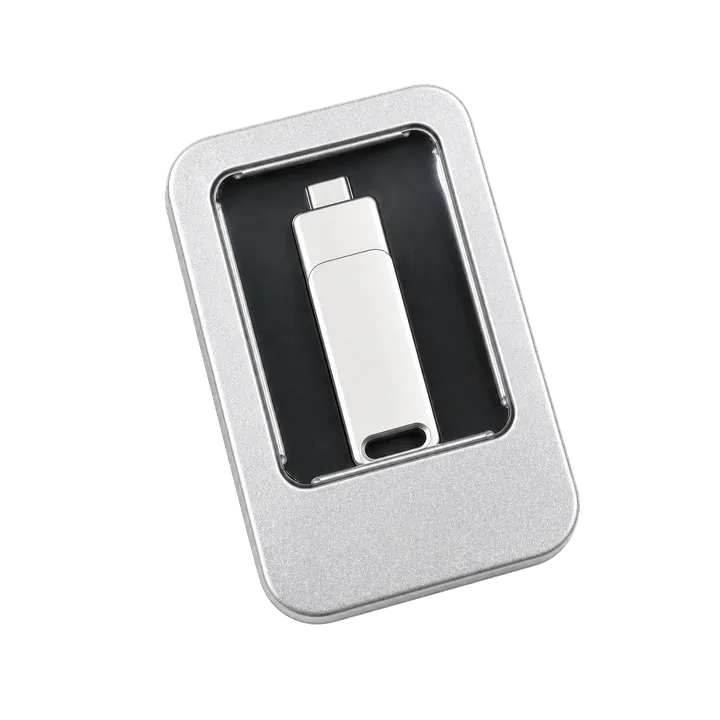
Watch the QPin Uber Driver GPS Demo
This short video shows QPin changing the iPhone system GPS location through an external hardware workflow. Uber Driver then reads the updated iOS location on the same device. Use it as a visual reference for system-level location behavior; each app can still apply its own account, network, sensor, and policy checks.

QPin iPhone GPS Modifier Demo: Uber Driver Reads Updated iOS Location
Why "False Location Detected" Searches Need a Careful Answer
Uber publicly treats GPS manipulation and fake-location apps as a fraud risk, and platform access can be affected by deceptive or illegitimate behavior. That does not mean every location mismatch is intentional. Dense city streets, malls, apartment complexes, restaurant back doors, weak satellite view, stale Wi-Fi positioning, and VPN/network mismatches can all make a real courier look like they are in the wrong place.
The practical job is to separate a false-positive-looking location problem from a high-risk modified-app workflow. A user standing at a restaurant entrance with Apple Maps correct but Uber Eats stale needs evidence. A tester reproducing a wrong pin needs a stable coordinate. A user relying on patched apps or cloned app packages has a different risk profile. QPin supports the evidence and testing cases because it changes the iPhone system location without changing Uber Eats itself.
For Uber Eats riders, testers, and support teams, the cleaner workflow is system-level location control:
- No App Modification: QPin does not alter Uber Eats code or install a patched app.
- System-Level iOS Location: the selected coordinate is applied at the iPhone location layer in supported setups.
- Stable Test Baseline: Apple Maps and other iOS location clients can be checked before opening the target app.
- Evidence Workflow: screenshots, coordinates, app versions, and timestamps can be collected for support or QA.
System-Level Location vs App Tampering
Modified apps create two problems at once: the app package is no longer original, and the location behavior changes. That makes troubleshooting messy. A system-level workflow is cleaner because Uber Eats remains untouched. You first verify the iPhone location in Apple Maps, then compare the courier app.
QPin's value is straightforward: it can modify iPhone system location without modifying Uber Eats. Apps that rely on iOS Location Services usually read the current system location. Uber Eats may still evaluate its own platform logic.
A Practical QPin Workflow
Use this flow for authorized testing:
- Keep the Uber Eats app original and unmodified.
- Turn on iOS Location Services, Precise Location, cellular data, and Wi-Fi.
- Disable VPN during diagnosis.
- Connect QPin using QPin Hardware, QPin Desktop, or the Mac/Windows guide.
- Set a restaurant entrance, curbside point, or neutral QA coordinate.
- Open Apple Maps first and verify the selected iOS system location.
- Cold-start Uber Eats and compare the app screen.
- Save screenshots, timestamps, coordinate, app version, and network state.
- Return the phone to real GPS after the test.
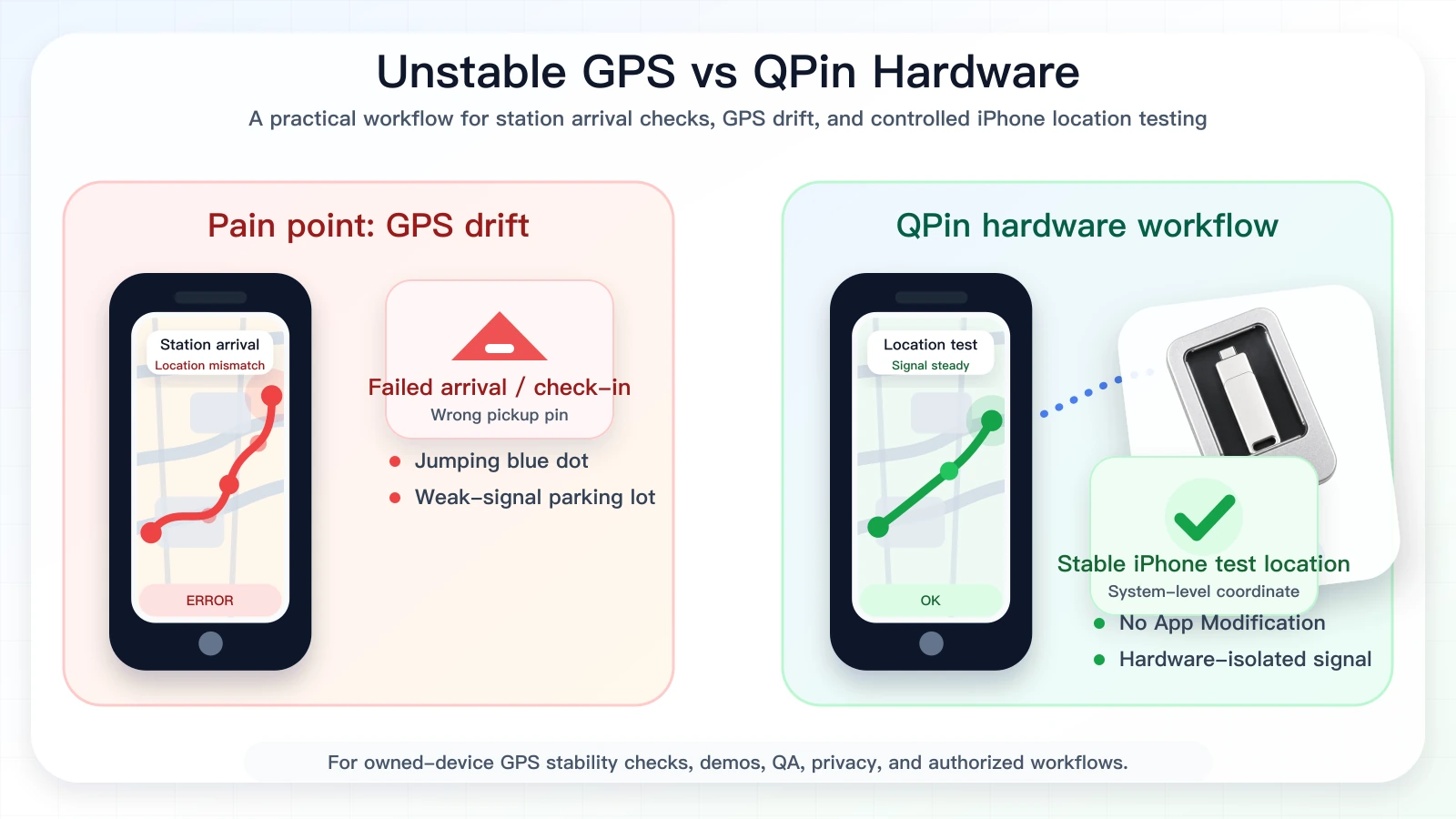
How Uber Eats Reads QPin's System-Level Location
QPin is useful for Uber Eats iPhone testing because it changes the phone's system-level location in supported setups without modifying the Uber Eats app. If Uber Eats reads iOS Location Services for the current coordinate, the app can reflect the QPin-selected iPhone location during controlled tests on a device you own.
That system-level approach is the conversion point. It is cleaner than a modified app because the target app package stays untouched, and it is easier to verify than a one-off fake GPS trick because Apple Maps can confirm the selected coordinate before Uber Eats opens.
Uber Eats may still evaluate account state, route timing, pickup flow, network state, sensor context, map data, and policy controls. QPin gives you the controlled iPhone location signal; Uber Eats decides how its own workflow responds.
Compliance Note
QPin is not affiliated with Uber Eats, Uber, DoorDash, Amazon Flex, Spark Driver, Walmart, Lyft, or any delivery platform. Users should follow the rules of the apps and platforms they use.
QPin is designed for owned-device testing, GPS stability checks, demos, privacy, QA, support reproduction, and authorized workflows. Uber Eats may still apply account, network, sensor, timing, geofence, and policy checks.
Related Guides
- iOS location spoofing for Uber Eats drivers
- Uber Eats iPhone GPS drift
- Uber Eats pickup pin wrong on iPhone
- Uber Eats location not accurate
FAQ
Can QPin modify iPhone system location for Uber Eats testing?
Yes. In supported setups, QPin can modify the iPhone system location to a selected coordinate. Apps that rely on iOS Location Services usually read that coordinate, while Uber Eats can still apply account, network, sensor, timing, and policy checks.
Is QPin a modified Uber Eats app?
No. QPin does not modify the Uber Eats app package, inject code, clone the app, or require a jailbreak. It works at the iPhone system-location layer in supported workflows.
Does QPin prevent Uber Eats account review?
No. QPin is not an account-protection or platform-override tool. It is designed for owned-device testing, GPS stability checks, demos, privacy, QA, support reproduction, and authorized workflows.
Why avoid modified apps for Uber Eats fake GPS?
Modified apps, cloned apps, sideloaded packages, and jailbreak workflows add app-integrity and device-risk signals. QPin keeps the target app untouched and focuses on system-level iPhone location testing.