iOS Location Spoofing for Uber Eats Drivers: System-Level QPin Guide
A 2026 iOS location spoofing guide for Uber Eats drivers comparing modified apps, hardware dongles, and QPin system-level iPhone location workflows.
iOS Location Spoofing for Uber Eats Drivers: System-Level QPin Guide
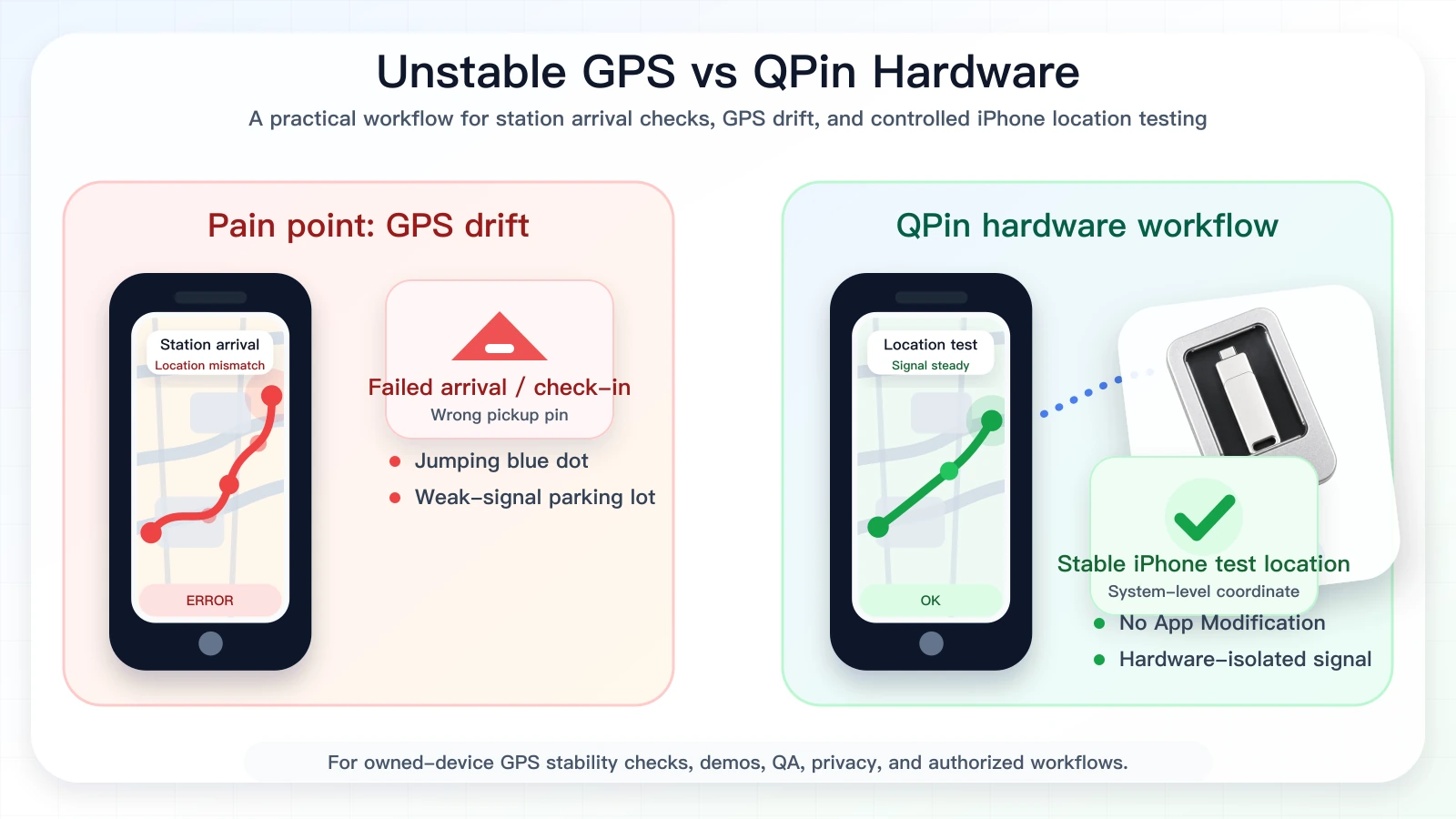
For iOS users, the main question in 2026 is no longer "which fake GPS app can I install?" The better question is: can I modify iPhone system location without tampering with Uber Eats? QPin is built around that distinction. It is not a modified Uber Eats app, not a sideloaded courier app, and not an app-injection method. In supported setups, QPin modifies the iPhone system-location layer.
That matters for serious testing. If the selected coordinate appears in Apple Maps, QA tools, and other apps that rely on iOS Location Services, the tester has a cleaner baseline. If Uber Eats behaves differently from Apple Maps, the issue may be platform logic, account state, route timing, network context, or sensor checks rather than raw GPS.
Watch the QPin Uber Driver GPS Demo
This short video shows QPin changing the iPhone system GPS location through an external hardware workflow. Uber Driver then reads the updated iOS location on the same device. Use it as a visual reference for system-level location behavior; each app can still apply its own account, network, sensor, and policy checks.

QPin iPhone GPS Modifier Demo: Uber Driver Reads Updated iOS Location
Why Modified Apps Are the Wrong Direction
Modified IPA files and cloned apps are attractive because they sound convenient, but they create an app-integrity problem before the location test even starts. You are no longer testing location alone. You are testing a changed app package, a changed signing environment, and changed device behavior at the same time.
QPin's positioning is different:
- No App Modification: the Uber Eats app package remains original.
- No Code Injection: QPin does not patch Uber Eats logic.
- No Jailbreak Requirement: the workflow is designed for supported iPhone setups.
- System-Level Location: the selected coordinate is applied to iOS location, not just one app.
- Repeatable Tests: you can verify Apple Maps before opening Uber Eats.
This makes QPin a better fit for users who care about reliability, evidence, and professional testing rather than risky app tampering.
QPin vs Common iOS Location Options
For Uber Eats, this distinction is important. A system-level iPhone location modifier can support GPS stability testing, restaurant pin comparison, route demos, privacy workflows, and QA reproduction. Platform, account, and order outcomes remain controlled by Uber Eats.
High-End iOS Testing Workflow
Use this workflow when you need a controlled iOS coordinate:
- Keep Uber Eats installed from the official source.
- Remove modified or cloned courier apps from the test phone.
- Turn on Location Services, Precise Location, Wi-Fi, and cellular data.
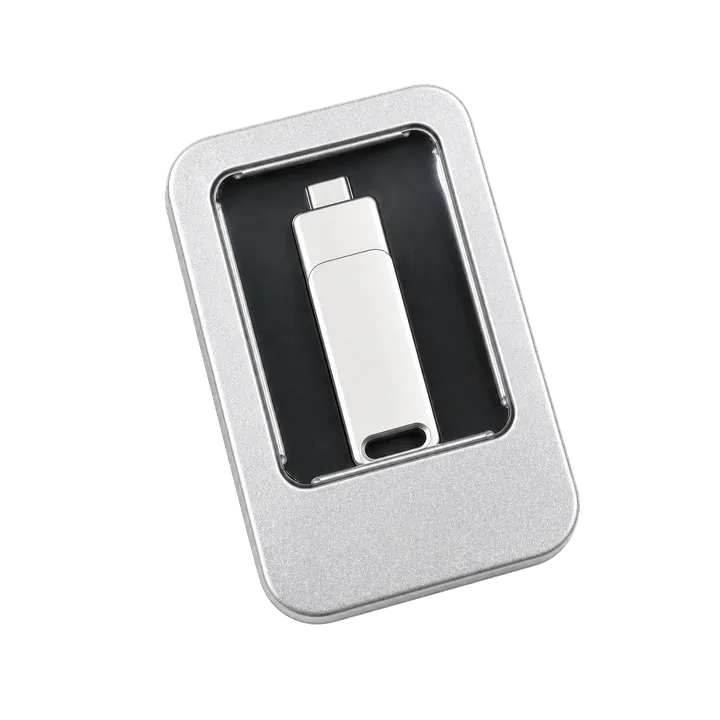
- Connect QPin using QPin Hardware, QPin Desktop, or the setup guide.
- Set a restaurant entrance, apartment complex gate, curbside point, or neutral QA coordinate.
- Confirm the coordinate in Apple Maps.
- Open Uber Eats and compare its behavior.
- Record screenshots, coordinate, network state, app version, and timestamp.
- Return to real GPS when testing ends.
Why This Is More Commercially Useful
The strongest QPin message is "control iPhone system location with a professional workflow." This fits the real buying intent of serious iOS users: stable location, no app modification, repeatable demos, privacy testing, QA reproduction, and cleaner troubleshooting.
QPin can modify iPhone system location. Uber Eats can still apply its own account, network, sensor, timing, and policy checks. That clear boundary makes the workflow easier to understand and easier to use responsibly.
Compliance Note
QPin is not affiliated with Uber Eats, Uber, DoorDash, Amazon Flex, Spark Driver, Walmart, Lyft, or any delivery platform. Users should follow the rules of the apps and platforms they use.
QPin is designed for owned-device testing, GPS stability checks, demos, privacy, QA, support reproduction, and authorized workflows.
Related Guides
- Uber Eats false location detected guide
- Uber Eats iPhone GPS drift
- Fix Uber Eats map inaccuracy for UK riders
- Uber Eats account deactivation and GPS evidence
FAQ
Is QPin software tampering?
No. QPin does not modify Uber Eats, inject code, or replace the app package. In supported setups, it works with the iPhone system-location layer.
Why is system-level iOS location important?
Because Apple Maps and apps that rely on iOS Location Services can be checked against the same selected coordinate. It gives testers a cleaner baseline than modified apps.
Does QPin control Uber Eats outcomes?
No. QPin can modify iPhone system location in supported workflows, but Uber Eats can still apply account, network, sensor, timing, geofence, and policy checks.