New Android USB controller
QPin For Android
Use an Android phone as the controller: connect Android to iPhone over USB and lock a point from the map.
QPin For Android uses the Android phone as a USB Host / data bridge controller. It does not rely on Android GPS or Android mock location, so it is not affected by the usual Android Fake GPS limits around mock-location permission, Android location services, or vendor GPS policies.
Recommended requirement: Android 10+ phone with USB OTG / USB Host support, preferably USB-C. The iPhone must be unlocked and the Trust This Computer prompt must be accepted on first connection. · 50 free locks
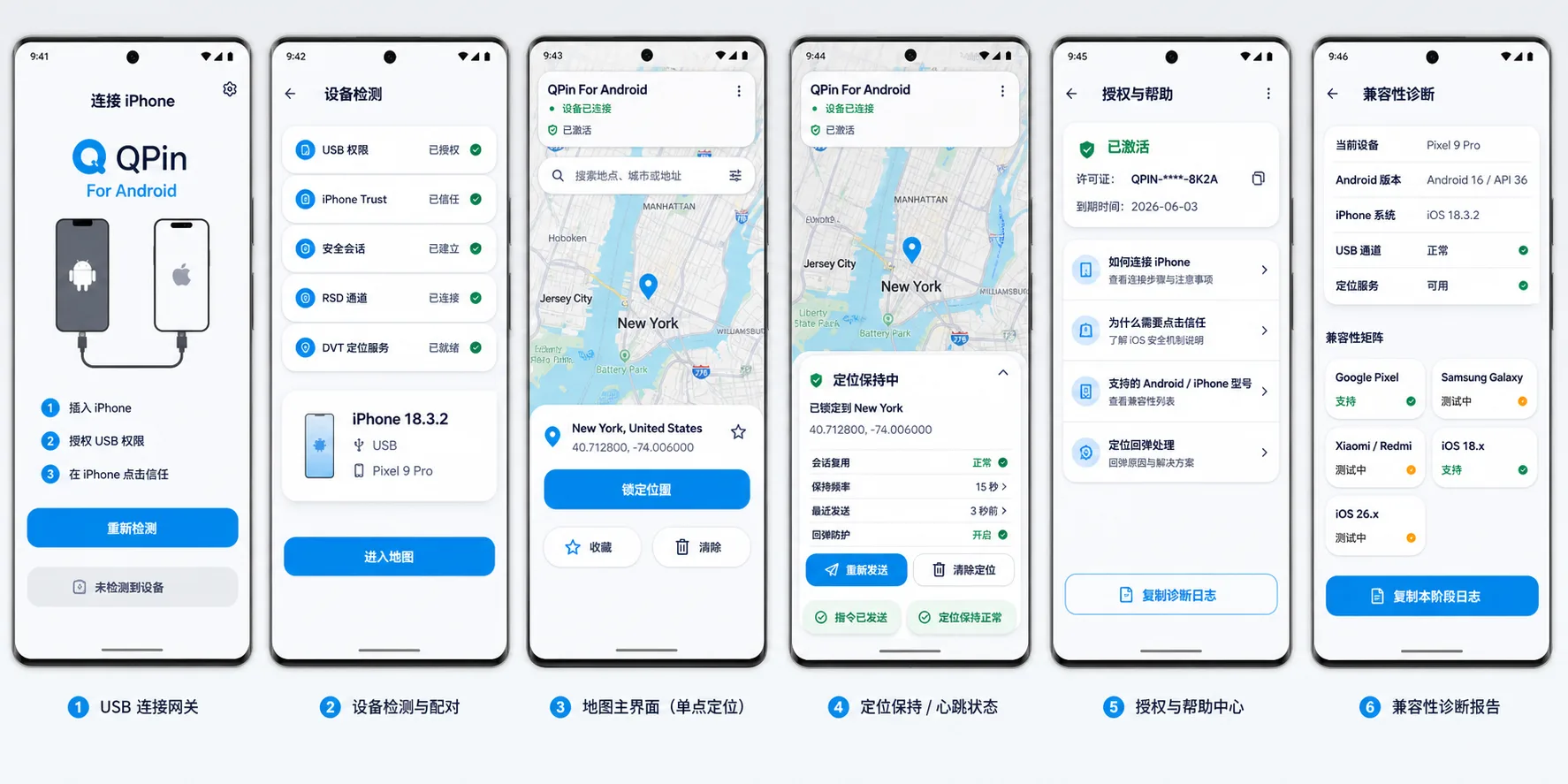
Key capabilities
- Android phone connects to iPhone by USB as the host/controller
- No Mac or Windows computer required for the Android workflow
- Does not modify the Android phone’s own GPS location
- Compatibility mainly depends on USB Host, USB role switching, vendor USB stack, and iPhone/iOS version
- Single-point lock and clear location
- Download and try 50 successful single-point location locks
Verified setup
- Samsung Galaxy S24 Ultra
- Google Pixel 9 and Pixel 9 Pro
- iOS 18 and iOS 26 test devices
Compatibility requirements
- Android 10+ phone with USB OTG / USB Host support
- USB-C data cable, not a charge-only cable
- Android must act as the USB host / data controller when connected to iPhone
- System must allow QPin to obtain USB permission and claim the Apple USB interface
- Vendor USB implementation should not block or heavily modify standard USB behavior
- Background process restrictions should not kill QPin, otherwise location keep-alive may stop
Help: iPhone not detected
- Open Android system USB settings or USB Preferences
- Change “USB controlled by” to “Connected device”
- Reconnect the cable, unlock the iPhone, tap Trust if prompted, then return to QPin
QPin Android has broad theoretical compatibility because it does not depend on the Android location system. The real compatibility risk is USB Host support, USB role switching, vendor USB behavior, background process limits, and the iPhone/iOS version.
Loading…