Dr.Fone Virtual Location vs QPin: Which iOS GPS Spoofer Wins in 2026?
Comprehensive comparison between Wondershare Dr.Fone Virtual Location and QPin hardware GPS spoofer. Compare features, pricing, detection risk, and real-world performance.
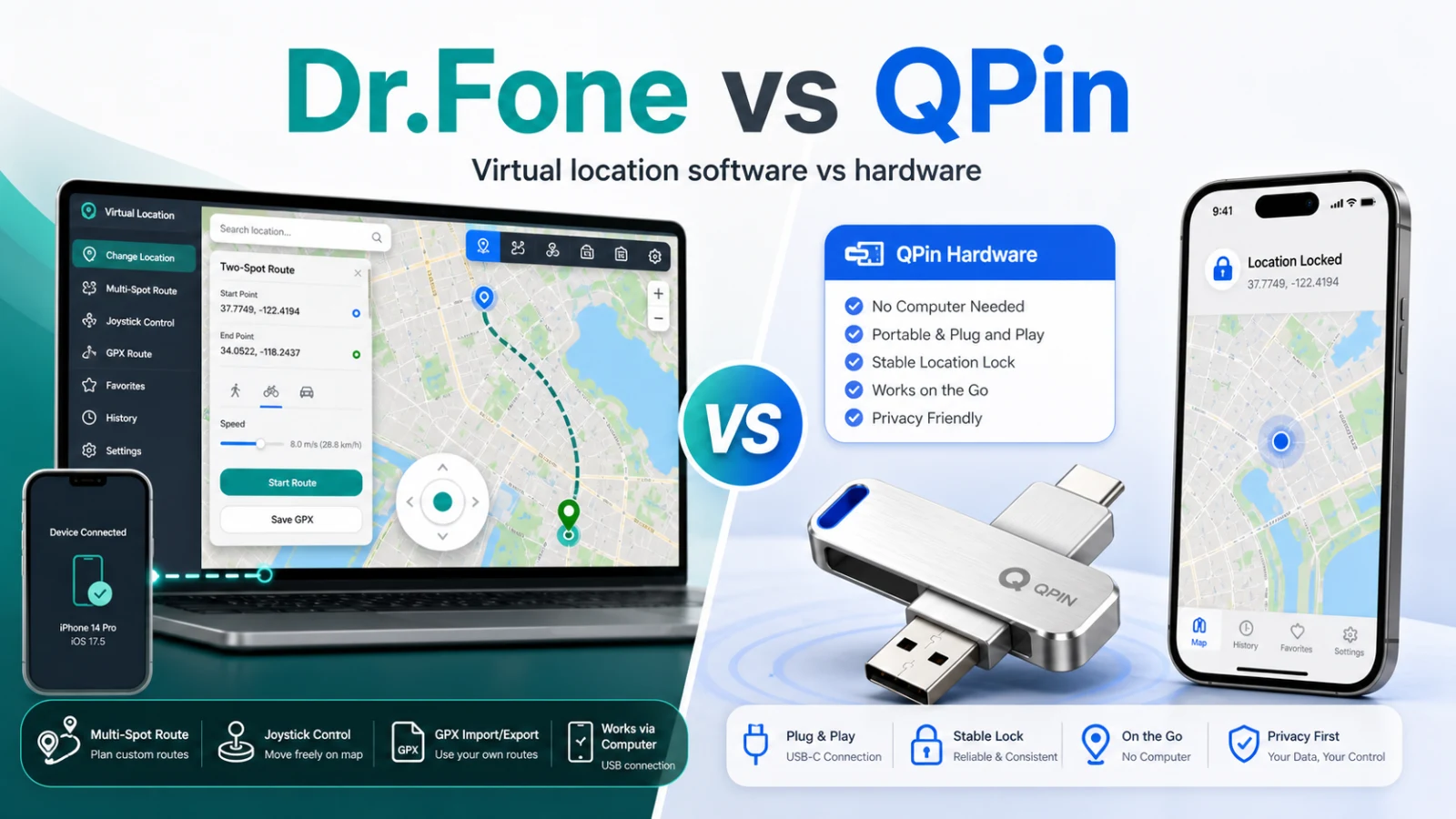
Dr.Fone Virtual Location vs QPin: The Complete Showdown
Wondershare's Dr.Fone Virtual Location and QPin represent two different approaches to iOS location spoofing. Dr.Fone is a comprehensive software suite, while QPin is a dedicated hardware device. Which one is right for you?
In this detailed comparison, we'll analyze both solutions across detection risk, pricing, features, portability, and real-world performance to help you make an informed decision.
Quick answer: choose Dr.Fone if you need Android support or already use the Wondershare toolkit for short desktop sessions. Choose QPin Hardware if you want iOS location control away from a computer, prefer a $150 one-time hardware purchase, and need a portable setup for supported iPhone/iPad scenarios.
Quick Comparison Overview
What is Dr.Fone Virtual Location?
Dr.Fone Virtual Location is part of Wondershare's Dr.Fone toolkit - a comprehensive suite of mobile device management tools. The Virtual Location feature allows users to fake their GPS location on both iOS and Android devices.
Dr.Fone Key Features
- Teleport Mode: Instantly move to any location worldwide
- Two-Spot Mode: Simulate movement between two points
- Multi-Spot Mode: Create custom routes with multiple waypoints
- Joystick Mode: Real-time movement control with keyboard/mouse
- GPX Import/Export: Load and save custom routes
- Historical Records: Save favorite locations
- Cross-Platform: Works on both iOS and Android
- Speed Control: Adjust movement speed (walking, cycling, driving)
How Dr.Fone Works
- Download and install Dr.Fone on your computer
- Connect your iPhone via USB cable
- Select "Virtual Location" from the toolkit
- Trust the computer on your iPhone
- Choose a location on the map
- Click to teleport or simulate movement
What is QPin?
QPin is a hardware-based GPS spoofer that connects to your iPhone via Bluetooth. Unlike software solutions, QPin operates as an external GPS accessory, providing location data directly to iOS at the hardware level.
QPin Key Features
- Hardware-Level Spoofing: Acts as external GPS hardware
- Complete Portability: USB-sized, pocket-friendly
- No Computer Needed: Standalone operation
- System-Wide Location: Changes the iPhone system location for apps that read it; app checks still apply
- Joystick Control: Smooth movement via companion app
- GPX Route Import: Auto-walk predefined paths
- Designed for supported iOS setups: verify compatibility after major iOS updates
- One-Time Purchase: No subscriptions
How QPin Works
- Power on the QPin device
- Connect via Bluetooth to your iPhone
- Open the QPin companion app
- Select your desired location
- Supported system-location scenarios can use the selected location
Detailed Feature Comparison
1. Detection Risk & Safety
This is the most critical factor, especially for games like Pokemon GO.
Dr.Fone Detection Risk: Medium-High
Dr.Fone modifies location data at the software level:
- Developer tools traces: Uses Xcode-like protocols that leave fingerprints
- USB connection detection: Apps can detect tethered state
- Inconsistent GPS patterns: Software simulation differs from real GPS
- Profile/certificate traces: Some features require installed profiles
Real-world reports:
- Pokemon GO users report occasional soft bans
- Life360 may trigger location alerts
- Some banking apps fail location verification
QPin Detection Risk: Lower software-side signals
QPin operates at the hardware level:
- External GPS accessory: iOS treats it as legitimate hardware
- No software modification: Nothing installed on iPhone
- Authentic GPS data: Hardware provides realistic GPS signals
- No developer mode: Works on standard iOS
Real-world reports:
- Zero confirmed detection cases in Pokemon GO
- Life360 shows normal location behavior
- All apps receive the same spoofed location
2. Pricing Comparison
Dr.Fone Virtual Location Pricing
Note: Dr.Fone frequently offers discounts, so actual prices may vary.
Hidden costs:
- Requires computer (if you don't have one)
- USB cable for connection
- Software updates may require renewal
QPin Pricing
Total cost over time:
Break-even: QPin becomes more cost-effective than Dr.Fone's annual plan after approximately 2 years of use.
3. Ease of Use
Dr.Fone Setup
Initial Setup Time: 10-15 minutes
- Download Dr.Fone (500+ MB)
- Install on Windows or Mac
- Connect iPhone via USB
- Trust computer on iPhone
- Wait for device recognition
- Navigate to Virtual Location
- Allow location access
- Select location and activate
Common Issues:
- iTunes driver conflicts on Windows
- Device not recognized errors
- Trust dialog failures
- Connection drops during use
QPin Setup
Initial Setup Time: 2-3 minutes
- Charge device (ships pre-charged)
- Turn on QPin
- Open Bluetooth settings
- Pair with QPin
- Open QPin app
- Select location
Common Issues:
- Rarely any reported issues
- Simple Bluetooth reconnection if needed
4. Portability & Mobility
Dr.Fone Portability
- Requirements: Computer + USB cable + iPhone
- Use Location: Home or office only
- On-the-go: Not possible
- Mobile Gaming: Must stay near computer
Practical Limitations:
- Cannot maintain spoofed location while walking
- Need to stay connected to computer
- Location resets when cable disconnects
- Not suitable for outdoor use
QPin Portability
- Requirements: QPin device + iPhone
- Use Location: Anywhere
- On-the-go: Fully functional
- Mobile Gaming: Complete freedom
Practical Benefits:
- Fits in pocket or on keychain
- Works during commute, travel, outdoors
- Maintains location while mobile
- Perfect for Pokemon GO Community Days
5. Platform Support
Dr.Fone
Advantage: Cross-platform support for both iOS and Android
QPin
Advantage: Better portable iOS hardware option, with compatibility confirmed after major iOS releases
6. Feature-by-Feature Comparison
7. iOS Update Compatibility
Dr.Fone After iOS Updates
- Typical delay: 3-14 days for patches
- Major iOS versions: Can take weeks
- User experience: Software broken until update
- Risk: Using during unsupported period may cause issues
QPin After iOS Updates
- Typical delay: Usually less tied to desktop software patch cycles
- Major iOS versions: Designed for supported iOS setups; confirm newer builds with support
- User experience: Usually less dependent on desktop software patch cycles
- Reason: Hardware-level operation reduces dependency on software-side location hooks
Use Case Analysis
For Pokemon GO Players
For Life360 Users
For Developers/Testers
For Gig Economy Workers
Pros and Cons Summary
Dr.Fone Virtual Location
Pros:
- Cross-platform (iOS + Android)
- Comprehensive toolkit with other features
- Lower upfront cost
- Established company (Wondershare)
- Good customer support
Cons:
- Requires computer connection
- Medium-high detection risk
- Subscription model adds up
- Not portable
- iOS update delays
- More complex setup
QPin
Pros:
- Hardware-backed location control with lower software-side risk signals
- Completely portable
- One-time purchase
- Active support; verify after major iOS updates
- No computer needed
- Simple setup
- Works with unlimited devices
Cons:
- Higher upfront cost
- iOS only (no Android)
- Physical device to carry
- No other toolkit features
Real User Testimonials
Dr.Fone Users Say:
"Good for testing apps on my computer, but I got a warning in Pokemon GO after a few weeks."
"The Android support is great for my work testing, but I wish I could use it without my laptop."
"Interface is clean and easy to use. Price adds up over time though."