iAnyGo vs QPin: iOS Location Modify Comparison 2026
Compare iAnyGo software and QPin hardware for iOS Location Modify by setup model, pricing, portability, support boundary, and software-side risk signals.
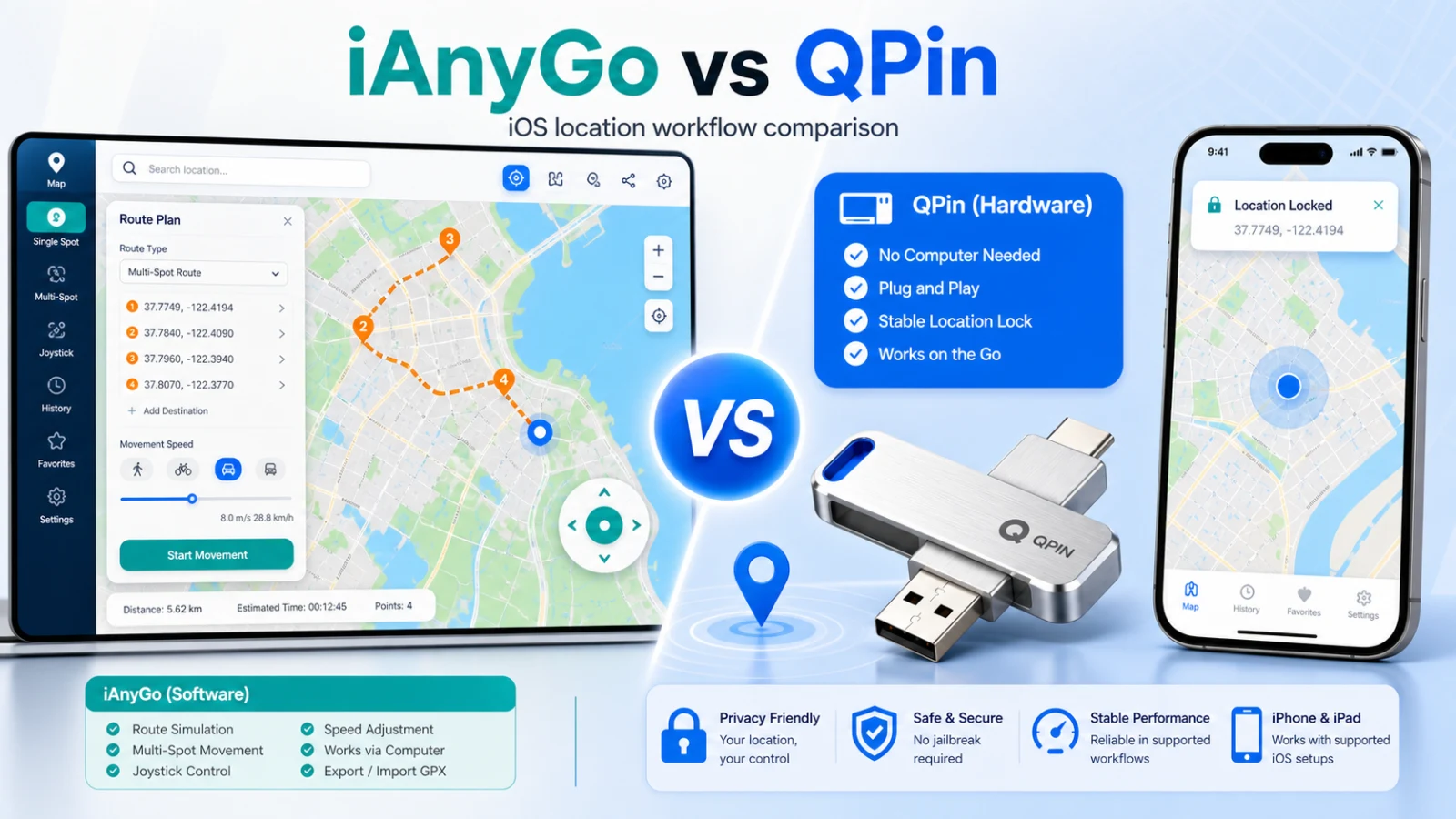
iAnyGo vs QPin: iOS Location Modify, Software vs Hardware
If you're looking for an iOS Location Modify tool for Pokemon GO, Life360, or another supported app scenario, you've likely come across both iAnyGo and QPin. But which one should you choose?
In this comprehensive comparison, we'll analyze both solutions across every important factor: detection risk, pricing, ease of use, portability, stability, and real-world performance.
Quick answer: choose iAnyGo if you only need short-term desktop-based testing and want the lowest upfront cost. Choose QPin Hardware if you need a portable iOS Location Modify setup, do not want to stay tied to a computer, and prefer a $150 one-time hardware purchase for supported iPhone/iPad scenarios.
Quick Overview
What is iAnyGo?
iAnyGo is a desktop software application developed by Tenorshare. It allows users to change their iPhone's GPS location by connecting the device to a computer and using developer mode or specialized profiles.
How iAnyGo Works
- Download and install iAnyGo on your computer
- Connect your iPhone via USB cable
- Trust the computer on your iPhone
- Select a location on the map
- Click to teleport or use joystick mode
iAnyGo Key Features
- Teleport Mode: Instantly move to any location
- Two-Spot Mode: Move between two points
- Multi-Spot Mode: Create custom routes
- Joystick Mode: Control movement in real-time
- GPX Import: Load pre-made routes
- History Records: Save favorite locations
What is QPin?
QPin is a hardware-based GPS spoofer that connects to your iPhone via Bluetooth. It operates as an external GPS accessory, providing location data directly to the iOS system at the hardware level.
How QPin Works
- Power on the QPin device
- Connect via Bluetooth to your iPhone
- Open the QPin companion app
- Select your desired location
- Your entire device now uses that location
QPin Key Features
- Hardware-Level Spoofing: Acts as external GPS hardware
- Complete Portability: USB-sized, pocket-friendly
- No Computer Needed: Works independently
- System-Level Location Control: Works with supported apps that read iOS Location Services
- Joystick Control: Smooth movement simulation
- GPX Route Import: Auto-walk predefined paths
- Supported iOS setups: Check compatibility before relying on a specific iOS build or app scenario
Detailed Comparison
1. Detection Risk & Safety
This is perhaps the most critical factor, especially for Pokemon GO players who risk account bans.
iAnyGo Detection Risk: Medium-High
iAnyGo modifies location data at the software level, which creates several detection vectors:
- Developer Mode Traces: iOS 17+ requires developer mode, leaving system flags
- Profile Detection: VPN or MDM profiles can be detected by apps
- Inconsistent GPS Data: Software simulation can produce unrealistic GPS patterns
- App Integrity Checks: Games like Pokemon GO actively scan for spoofing tools
Real-world impact: Many Pokemon GO players have reported soft bans and warnings when using iAnyGo, especially during high-activity events like Community Days.
QPin Detection Risk: Lower software-side signals
QPin operates fundamentally differently:
- External Hardware: QPin works through a hardware-backed location-control model
- No Desktop Session During Daily Use: After setup, daily use does not require keeping a computer connected
- More Consistent GPS Input: Hardware control can reduce software-side abnormal signals
- No Developer-Mode Desktop Flow for Supported Setups: Designed to avoid the common developer-mode desktop session used by many software tools
Real-world impact: QPin can reduce software-side anomaly signals because it works as an external GPS accessory, but app, account, network, sensor, cooldown, and policy checks can still apply.
2. Pricing Comparison
iAnyGo Pricing
Hidden costs with iAnyGo:
- Requires a computer (if you don't have one)
- USB cable for connection
- Ongoing subscription fees
QPin Pricing
Total cost comparison over time:
Break-even point: QPin pays for itself in approximately 8 months compared to iAnyGo's monthly plan, or becomes more cost-effective than the annual plan after year one.
3. Ease of Use
iAnyGo Setup Process
- Download software (100+ MB)
- Install on Windows or Mac
- Connect iPhone via USB
- Trust computer on iPhone
- Enable developer mode (iOS 17+)
- Sometimes remove passcode temporarily
- Wait for connection
- Select location and activate
Time to first use: 10-15 minutes
Common setup issues:
- iTunes driver conflicts on Windows
- Developer mode requiring restart
- Cable connection problems
- Trust dialog failures
QPin Setup Process
- Charge device (comes pre-charged)
- Turn on QPin
- Open Bluetooth settings
- Pair with QPin
- Open QPin app
- Select location
Time to first use: 2-3 minutes
Common setup issues:
- Rarely any issues reported
4. Portability
This is where the difference becomes most apparent.
iAnyGo Portability
- Requires: Laptop/desktop + USB cable + iPhone
- Usage scenario: Home or office only
- On-the-go: Not possible
- Quick changes: Not feasible
Practical limitations:
- Can't maintain spoofed location while walking around
- Need to stay near computer
- Location resets when disconnected
QPin Portability
- Requires: QPin device (USB-sized) + iPhone
- Usage scenario: Anywhere
- On-the-go: Fully functional
- Quick changes: Yes, via app
Practical benefits:
- Fits in pocket or keychain
- Works during commute
- Maintains location while mobile
- Better suited for travel, testing, privacy, and mobile location-control scenarios
Why computer dependency matters
For occasional testing, a desktop tool can be enough. For daily mobile use, computer dependency becomes the main friction: the iPhone needs to stay near a laptop, USB disconnects can interrupt the session, laptop sleep can reset the state, and outdoor use is awkward. This is where QPin Hardware has the clearer conversion value: it is built for people who want location control away from the desk.
See QPin Hardware compatibility →
5. iOS Update Compatibility
iAnyGo After iOS Updates
- Typical delay: 1-7 days for patches
- Major iOS versions: Can take weeks
- User experience: Broken until update released
- Risk: Using outdated version may increase detection
QPin After iOS Updates
- Typical delay: Usually less tied to desktop patch cycles
- Major iOS versions: Designed for supported iOS setups; confirm newer builds with support
- User experience: Usually less dependent on desktop software patch cycles
- Why: Hardware-level operation reduces dependency on software-side location hooks
6. Feature-by-Feature Comparison
7. Real User Experiences
iAnyGo User Feedback
Pros mentioned:
- "Easy to understand interface"
- "Multiple movement modes are useful"
- "Customer support is responsive"
Cons mentioned:
- "Got soft banned in Pokemon GO twice"
- "Annoying that I need my laptop every time"
- "Subscription costs add up"
- "Broke after iOS 18 update, waited 5 days for fix"
QPin User Feedback
Pros mentioned:
- "I can use it away from my computer"
- "The one-time hardware purchase is easier to understand than another subscription"
- "The setup feels less fragile than a USB desktop session"
Cons mentioned:
- "Initial cost is higher than one month of software"
- "Another device to carry (though it's tiny)"
Use Case Analysis
For Pokemon GO Players
Why QPin wins for Pokemon GO location-modify scenarios: The software-side signal difference is critical. Pokemon GO's anti-cheat has become increasingly sophisticated, and hardware-level spoofing reduces software modification signals, though account and app-policy checks still apply.
For Life360 Users
Why QPin fits Life360 scenarios better: QPin can reduce desktop-software signals and works as a portable hardware option, but Life360's own app-side checks and account rules still apply.
For Gig Economy Workers (Uber, Lyft, DoorDash)
Why QPin wins for gig workers: Portability is essential. You can't carry a laptop while driving.
For App Developers (Testing)
When iAnyGo might be better: If you only need location testing for a single month during development, the $9.95 cost is lower than QPin Hardware's $150 one-time price.
Verdict: Which Should You Choose?
Choose QPin If:
- You play Pokemon GO and want to reduce software-side anomaly signals
- You need location control away from home
- You use Life360 and need lower-risk location changes
- You're a gig economy worker
- You want a one-time purchase (no subscriptions)
- You value portability and convenience
- You don't want to deal with iOS update issues