Why VPN Does Not Change Tinder or Bumble GPS Location
Learn why VPN apps change your IP address but usually do not change the GPS location Tinder or Bumble reads on iPhone, plus safer privacy settings and system-level location control options.
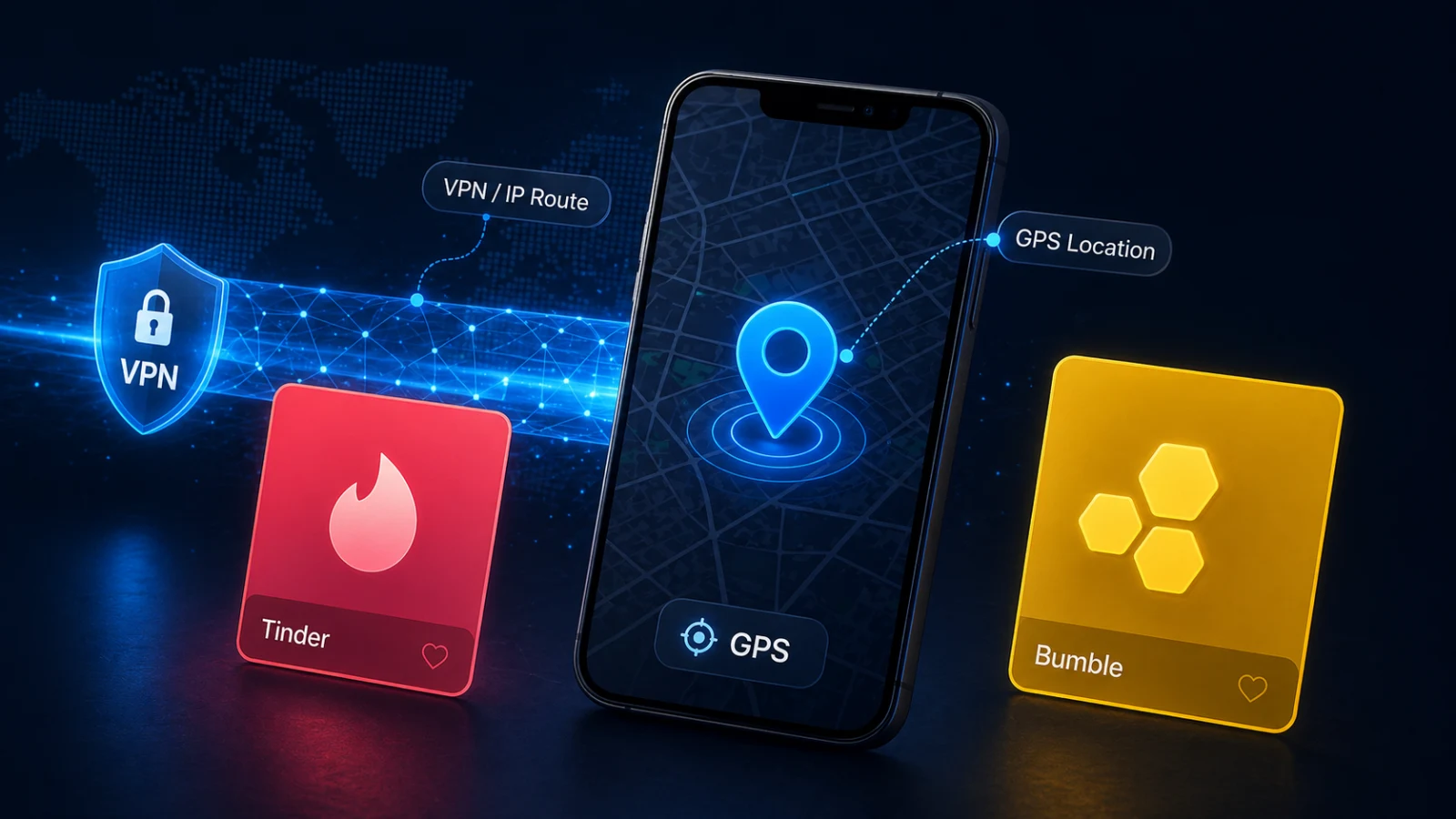
Why VPN Does Not Change Tinder or Bumble GPS Location
Many iPhone users try a VPN when Tinder or Bumble shows the wrong city, exposes a sensitive neighborhood, or refuses to match the place they want to browse. The logic sounds reasonable: if a VPN makes your internet traffic appear in another country, why would a dating app still know where your phone is?
Quick answer: a VPN changes your network route and IP address. It does not normally change the GPS, Wi-Fi, Bluetooth, or cellular signals used by iPhone Location Services. Dating apps can still request device location from iOS, so Tinder or Bumble may continue to show your real device location even while the VPN is connected.
VPN Location vs iPhone GPS Location
A VPN primarily affects network traffic. It can make websites see a different IP address, protect traffic on untrusted networks, and route internet requests through another region.
iPhone location is different. Apple Location Services can use GPS, Bluetooth, Wi-Fi, cellular network information, and device sensors to estimate where the phone is. Apple also lets users manage app access under Location Services and turn off Precise Location for apps that do not need exact coordinates.
This means there are two different signals:
If the VPN says you are in Paris but iOS Location Services says the iPhone is in Los Angeles, a dating app may prefer the device location, flag the mismatch, or keep using the official in-app location feature.
How Tinder Handles Location
Tinder requires device location access to use the app. Tinder also offers Passport Mode, which lets eligible users search by city or drop a pin on the map to connect with people in another city.
Official references:
- Tinder: Grant Access to Device Location
- Tinder: Passport Mode
For Tinder users, this creates a practical rule:
- Use iOS settings to manage whether Tinder can access device location.
- Use Passport Mode when you want Tinder's official location-browsing workflow.
- Do not expect a VPN alone to replace iPhone GPS location.
- Avoid claims that any tool can override every Tinder account, policy, or anti-abuse check.
How Bumble Handles Location
Bumble says your phone's GPS location automatically determines your location on Bumble, and Bumble's support page specifically recommends turning off a VPN when location is not updating correctly because VPNs can interfere with accurate location detection.
Bumble also offers Travel Mode for eligible Premium users who want to appear in another city.
Official references:
- Bumble Support: Updating your location
- Bumble: Travel Mode
This matters because Bumble separates three ideas:
- Your real device location from the phone.
- Your profile fields such as hometown or where you live.
- Travel Mode location for browsing in another city.
A VPN may change network routing, but it does not become the same thing as Bumble Travel Mode or iPhone GPS.
Why VPNs Often Fail for Dating App Location
VPNs often fail for Tinder or Bumble location because the app can compare multiple signals:
This is why some users see a VPN work on a website but fail inside a dating app. The website may rely heavily on IP location. The dating app may use device location permission.
Better Privacy Steps Before Using Any Location Tool
Start with settings that are supported by the app and iOS:
- Go to Settings > Privacy & Security > Location Services.
- Review Tinder or Bumble permission.
- Use "While Using" unless background location is necessary.
- Consider turning Precise Location off when exact coordinates are not needed.
- Avoid opening dating apps repeatedly from your exact home, dorm, workplace, or hotel room.
- Remove geotags and private background details from profile photos.
- Use Tinder Passport Mode or Bumble Travel Mode when the goal is official city browsing.
These steps are lower risk than trying to make a VPN behave like GPS.
Where QPin Fits
QPin is not a VPN. QPin is designed for iPhone system-level location control in supported setups, which is a different layer from IP routing.
Use QPin for legitimate scenarios such as:
- Privacy testing with location-based apps.
- QA testing for region-based product features.
- Demo workflows where a stable iPhone location is needed.
- Travel planning or controlled location workflows on a device you own.
QPin options:
- QPin Desktop: USB-connected Mac/Windows workflow.
- QPin Hardware: portable hardware workflow.
- No jailbreak: designed for supported stock iOS environments.
- Important limitation: Tinder, Bumble, and other apps may still apply account, network, sensor, policy, or anti-abuse checks.
Read next:
- Tinder Location Privacy on iPhone
- Bumble Location Privacy Settings on iPhone
- How to Control iPhone Location for Privacy and Testing
What QPin Can and Cannot Do
QPin can help control the iPhone system location layer in supported setups for privacy, QA testing, demos, and authorized workflows. QPin cannot guarantee that every app will accept the location, cannot replace Tinder Passport Mode or Bumble Travel Mode, and cannot prevent account, network, sensor, or policy checks. Do not use location tools for fraud, harassment, impersonation, or safety abuse.
FAQ
Will a VPN hide my real location from Tinder or Bumble?
Not reliably. A VPN may hide or change your IP address, but Tinder and Bumble can still use iPhone Location Services if you granted location permission.
Why does Bumble say to turn off VPN?
Bumble's support page says VPNs can interfere with accurate location detection when the app shows the wrong location. That is a troubleshooting point, not a promise that VPN changes Bumble GPS.
Is Passport Mode the same as changing iPhone GPS?
No. Passport Mode is Tinder's in-app discovery feature. It changes how Tinder lets you browse locations inside Tinder; it does not change the iPhone's system location for every app.
Is Travel Mode the same as changing iPhone GPS?
No. Bumble Travel Mode is an in-app feature for eligible users. It does not make the whole iPhone report a different system location.
Conclusion
VPNs are useful for network privacy, but they are the wrong tool if your goal is to control the GPS location Tinder or Bumble reads from iPhone. Start with iOS permissions and official app features. If you need system-level iPhone location control for privacy, testing, demos, or authorized workflows, use a tool designed for that layer and keep expectations realistic.
FAQ
Does a VPN change Tinder or Bumble GPS location on iPhone?
Usually no. A VPN changes the network route and IP address, while Tinder and Bumble can still use the iPhone Location Services layer for device location.
What is the official way to browse another city on Tinder or Bumble?
Tinder offers Passport Mode, and Bumble offers Travel Mode for eligible users. These are in-app location features, not VPN features.
Can QPin guarantee Tinder or Bumble will accept a custom location?
No. QPin works at the supported iPhone system location layer, but apps may still apply account, network, sensor, policy, or anti-abuse checks.