Mac + Windows software
QPin For Desktop
USB-connected iPhone location control from Mac or Windows.
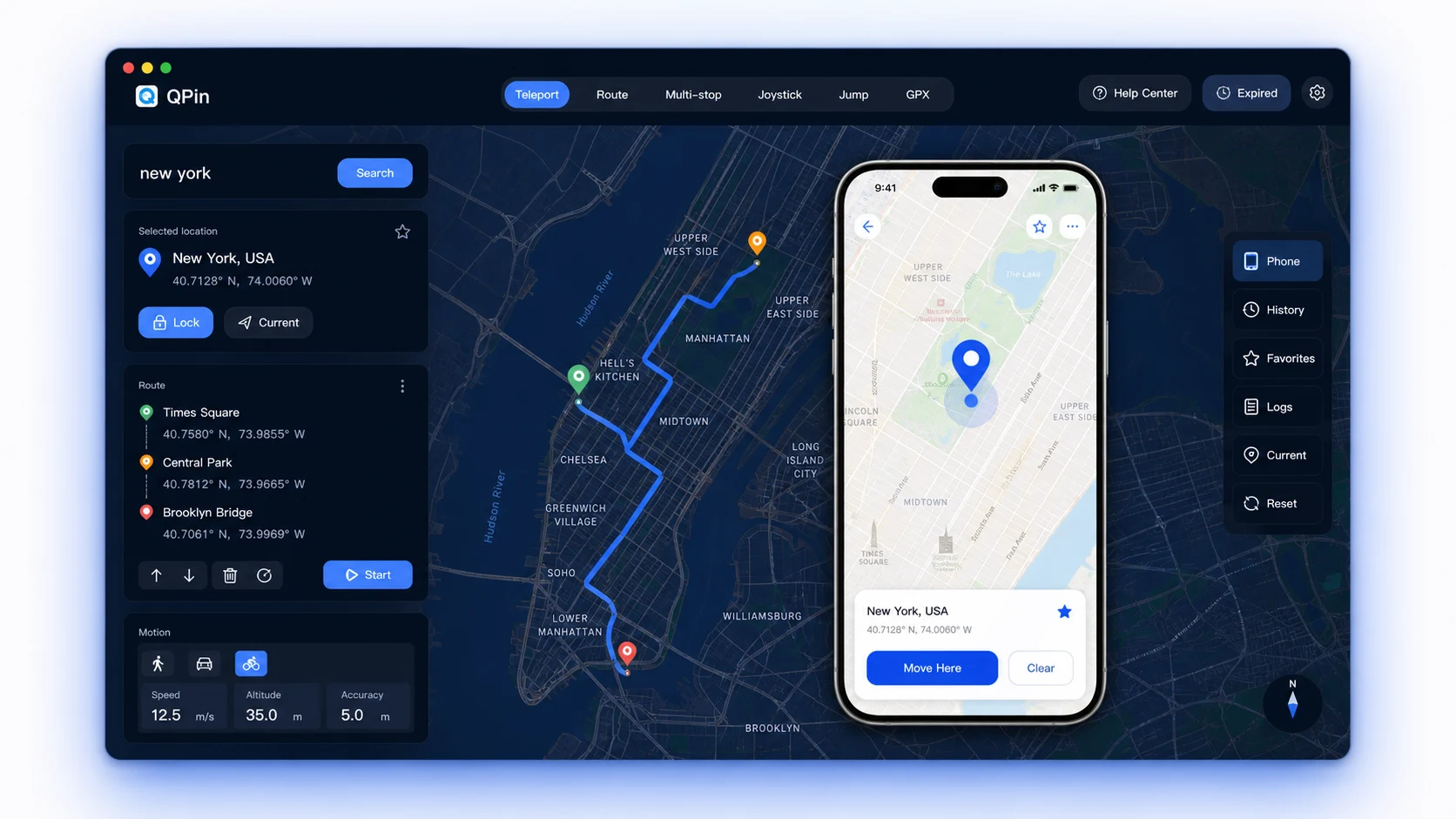
QPin For Desktop is the fastest way to start when you work at a computer. Connect iPhone or iPad by USB, choose a point on the desktop map, and manage supported location workflows without extra hardware.
Instant software activation after payment · $9.9+
Key capabilities
- Mac and Windows desktop workflow
- USB-connected iPhone/iPad control
- Map search, point lock, route planning, GPX workflows
- Activation code delivered after payment
Best for
- Users who mainly operate at a computer
- QA, demos, map search, and regional testing
- Teams that need quick software delivery
Compatibility note
- Designed for supported iPhone and iOS setups
- Some apps may still apply account, network, sensor, or policy checks
Desktop location control workflow for iPhone
QPin Desktop is built for users who need a clear computer-based workflow: connect the iPhone by USB, confirm device trust, choose a coordinate or route on the desktop map, and run repeatable location scenarios without jailbreaking the device.
How the Desktop workflow works
- Install QPin on macOS or Windows, connect the iPhone or iPad with a data cable, unlock the device, and accept the trust prompt on first use.
- Use map search, coordinates, saved favorites, route drawing, joystick movement, or GPX import to prepare the target scenario before applying it to the device.
- Clear the virtual location from QPin when testing is complete, then verify the expected position in Apple Maps or the target test app.
Practical use cases
- QA teams can test location permission prompts, regional onboarding, map search, delivery radius logic, geofence screens, and location-based content without moving between cities.
- Product teams can create repeatable demos for app flows that depend on distance, route movement, or regional availability.
- Privacy-focused users can reduce unnecessary exposure of their current position when they need a controlled location baseline for supported personal workflows.
Limits and responsible use
- QPin Desktop changes the iPhone location signal for supported workflows, but it does not bypass app accounts, payments, network reputation, device sensors, or third-party risk rules.
- It does not require jailbreak and does not promise that every app will accept every location scenario.
- Users are responsible for following local laws and the terms of the apps or services they use.
Desktop vs Hardware at a glance
| Topic | QPin Desktop | QPin Hardware |
|---|
| Best fit | Computer-based testing, demos, route planning, GPX workflows | Portable use away from a desk and users who prefer hardware separation |
| Setup | Mac or Windows app plus USB cable | Dedicated accessory plus companion app workflow |
| Delivery | Software activation code after payment | Physical product shipment plus setup support |
| Main tradeoff | Requires a computer while operating | Higher upfront price, but better portability |
QPin Desktop FAQ
Does QPin Desktop require jailbreak?
No. QPin Desktop is designed for supported iPhone and iOS setups without jailbreaking the device.
Does it work on both Mac and Windows?
Yes. QPin Desktop supports macOS and Windows workflows. Use a real data cable and accept the iPhone trust prompt on first connection.
Can QPin guarantee every app accepts the changed location?
No. Some apps also evaluate account history, network signals, sensors, timing, and their own risk rules. QPin provides the location-control workflow, not a bypass of third-party policies.
What happens after payment?
The software activation code is delivered after payment. If you have setup issues, contact support through Telegram or LINE.
Desktop is the best first choice when convenience and quick onboarding matter more than portability.
Loading…