Meiying Feiren Guide: Virtual GPS for Pokemon GO and iOS Location Simulation
What Meiying Feiren is: a virtual GPS / location-simulation tool for mobile users—simulate GPS pins, jump regions, and set walking or driving paths. Compare limits and when QPin Hardware is a clearer iOS alternative.
Quick answer
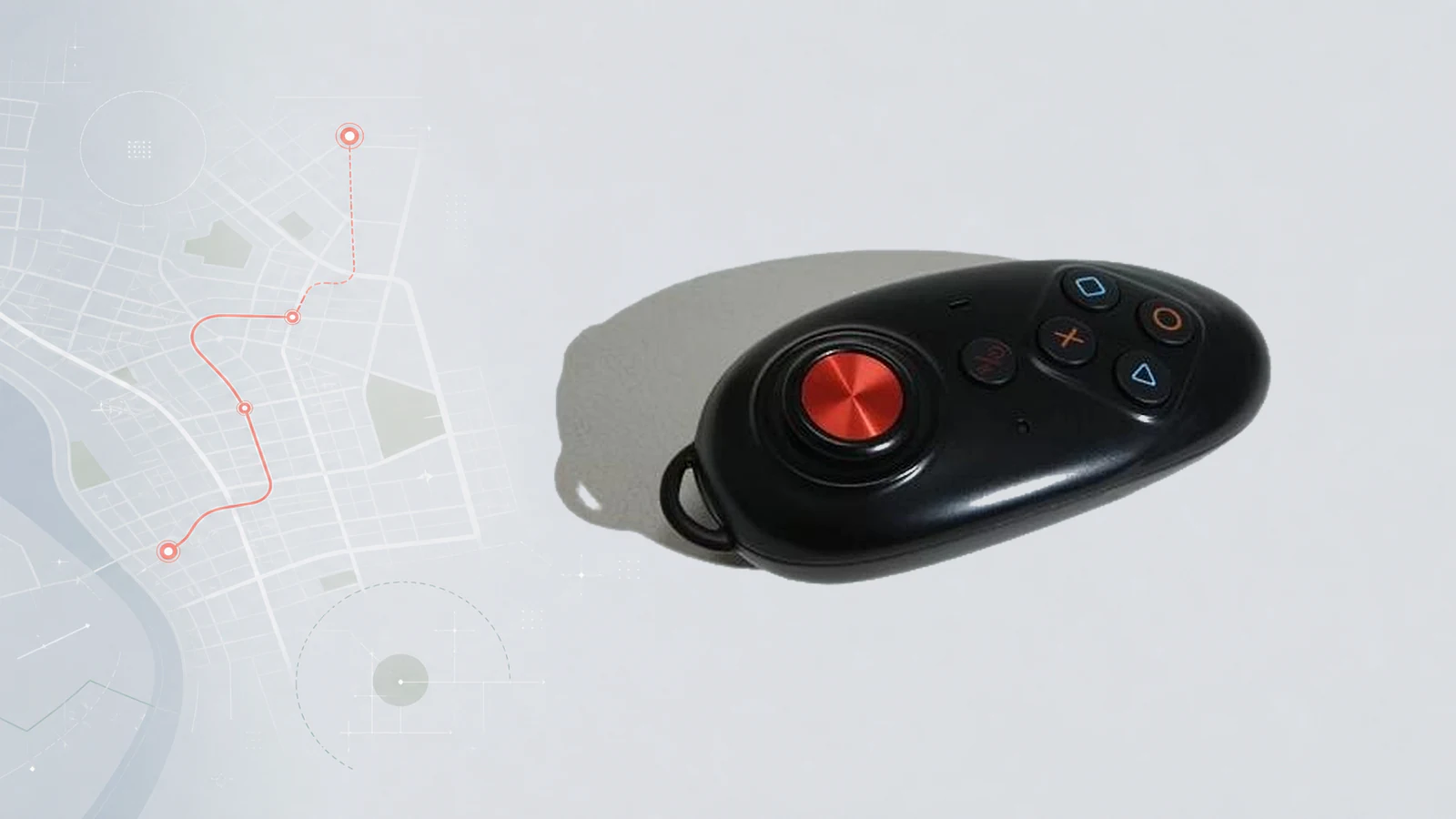
Meiying Feiren (魅影飞人) is a virtual location tool for phone users. It is designed so you can simulate GPS movement on a map.
Common goals people search for:
In Pokemon GO–style discussions, players often associate Meiying Feiren with “feiren” (flying) workflows: map pins, region jumps, and path playback. Listings and tutorials sometimes also connect the name to Bluetooth hardware + companion app stacks (for example iTools BT–style setups). Exact packaging, app name, and iOS support depend on the channel—confirm before you buy.
Important: No virtual location tool can guarantee every game or account is free of detection, cooldown, or policy risk. Follow local law and each platform’s rules.
If you care more about a portable iOS setup you can order with a clear product page, manuals, and support path, put **QPin Hardware** ($150) on your shortlist.
Who this guide is for
This page is for people who searched Meiying Feiren, 魅影飞人, or Pokemon GO feiren / virtual GPS and need:
- A correct product definition of Meiying Feiren as a virtual location tool.
- A clear list of use cases: GPS pin, region jump, path movement.
- A practical workflow and risk baseline.
- A side-by-side path to a buyable iOS hardware option: QPin Hardware.
It is written for SEO and answer engines: short direct answers first, then details, tables, FAQ, and product links.
What Meiying Feiren is
What it is
- A virtual GPS / location simulation product category used on phones
- Typically controlled via a map interface: pick a pin, jump a region, or run a path
- Often discussed for location games (especially Pokemon GO), map tests, and path simulation
- In many community guides: Bluetooth hardware + app on iOS is a common form
Core use cases
1. Simulate GPS location
Place a pin on the map so the phone reports that coordinate to apps that read system (or supported) location. In games, this is the basis of “spawn at another place” style testing.
2. Jump to another region or country
Switch the virtual position across cities or countries. Players often mention regional content (for example region-locked or region-boosted Pokemon GO content). Treat this as a use-case description, not a promise that every title or event will work.
3. Free path / movement modes
Configure a route and play it back as walking, driving, or cycling-style movement so the location changes continuously instead of only teleporting.
Typical workflow (high level)
Steps vary by seller and app, but the pattern is usually:
- Prepare a supported phone (community content is heavily iOS-oriented).
- Install the companion app the seller documents.
- Connect the hardware over Bluetooth if your set includes a dongle.
- Open the map → choose a pin or load a path.
- Confirm location in a system maps app first.
- Open the target app or game only after the pin is stable.
- Use realistic speeds and cooldowns where the game enforces them.
- Stop simulation and restore real GPS when finished.
Pros, limits, and risk notes
Responsible baseline:
- Prefer a secondary account if you are testing high-risk games.
- Avoid instant multi-thousand-km jumps without respecting game cooldowns.
- Do not use location tools for fraud, harassment, or illegal activity.
Meiying Feiren vs QPin Hardware
If you are deciding what to buy now, use a conversion-friendly comparison:
When QPin Hardware is the better next click
Choose **QPin Hardware** if you want:
- A clear buy page instead of fragmented reseller listings
- Portable iPhone / iPad location control for supported setups
- Setup documentation: QPin Hardware manual
- Optional large-screen routes later via QPin Desktop
**View QPin Hardware — $150 →**
Buying checklist (any “feiren” hardware)
- Confirm iOS model + iOS version support with the seller today.
- Confirm exact hardware + app pair (name, install method, updates).
- Ask about returns, warranty, and shipping before paying.
- Verify a pin in Apple Maps before opening games.
- Plan path speed to look human-scale, not teleport spam.
- If the listing is opaque, compare a documented product like QPin Hardware.
FAQ
Is Meiying Feiren an anti-lost tracker?
No. It is a virtual location / GPS simulation tool category, not a find-my-item tag.
Does it only work for Pokemon GO?
Pokemon GO is the most common search context, but the underlying idea is phone location simulation. Other location apps may or may not accept the same stack—always test carefully and respect each service’s rules.
Is there a safer way than random marketplace listings?
There is no “zero risk” for game policy. For purchase clarity (price, manual, support), compare **QPin Hardware** as a current portable iOS option.
Bottom line
Meiying Feiren = virtual GPS for phones: simulate location, jump regions, and set walking / driving / cycling-style paths—often discussed for Pokemon GO “feiren” play. It is not an anti-lost tracker.
If you want a portable iOS hardware path with transparent pricing and official product docs, start here:
**Buy / compare QPin Hardware →**
Related: iTools BT alternative · QPin Hardware manual · Pokemon GO spoofer tools comparison
FAQ
What is Meiying Feiren?
Meiying Feiren is a virtual location tool designed for phone users. It lets you simulate GPS position on a map—jump to another region, or set walking, driving, or cycling-style movement paths for location-based apps and games.
Can Meiying Feiren be used for Pokemon GO?
Many players search Meiying Feiren for Pokemon GO-style virtual movement: simulate GPS, change regions, and set paths. Success depends on device, app stack, iOS version, and game checks. No tool can guarantee every account or session is risk-free.
What is a good Meiying Feiren alternative for iOS?
If you care more about a portable iOS setup with a clear product page, manuals, and support path, put QPin Hardware on your shortlist. For large-screen routes on a computer, look at QPin Desktop.