Best Way to Mock/Modify GPS on Spark Driver App without Jailbreak
Learn how Spark Driver uses iPhone location, why GPS drifts around Walmart pickup zones, and how QPin hardware modifies system GPS without jailbreak.
Best Way to Mock/Modify GPS on Spark Driver App without Jailbreak
Spark Driver is not just another delivery app. It is part of Walmart's last-mile delivery ecosystem, built around Walmart stores, Sam's Club locations, grocery pickup, curbside bays, and customer drop-offs. That makes location accuracy more important than it is on many restaurant-delivery apps. A Spark Driver screen may care about where your iPhone appears inside a large Walmart parking lot, whether you are near the curbside pickup area, and whether the phone location is stable enough for the app to keep the workflow moving.
QPin is built for this exact kind of iPhone location problem. In supported setups, QPin can mock or modify the iPhone system GPS location without jailbreaking the phone and without modifying the Spark Driver app. Apps that read iOS Location Services can see the selected system coordinate. That gives drivers, testers, support teams, and privacy-focused users a practical way to stabilize or reproduce location behavior on an owned device.
QPin is not affiliated with Spark Driver, Walmart, Sam's Club, DoorDash, Uber Eats, Amazon Flex, Uber, Lyft, or any delivery platform. Users should follow the rules of the apps and platforms they use. QPin controls the iPhone system GPS coordinate; Spark Driver and Walmart still control offers, account status, arrival logic, geofences, network checks, sensor checks, and policy decisions.
What Spark Driver is and why location matters
Spark Driver is Walmart's independent driver platform for last-mile retail delivery. Instead of sending only restaurant meals, Spark Driver commonly involves grocery orders, general merchandise, pharmacy-related pickups where available, and Sam's Club runs. The workflow is store-centered: open the app, watch available zones or hotspots, accept an offer, drive to a Walmart or Sam's Club location, check in, wait for curbside loading, then deliver to the customer.
That store-centered workflow makes GPS more sensitive. In a restaurant delivery app, being on the correct street can be enough for navigation. Around Spark Driver, a few meters can matter because the pickup area, curbside bay, store entrance, and parking-lot geofence may be close together. Drivers often describe the system as proximity-sensitive because location can affect what a driver sees, when arrival actions become available, and how store pickup steps behave.
The important point is simple: iPhone location stability affects workflow efficiency. If the blue dot jumps, the app can look confused even when you are physically near the right Walmart. If you need a stable selected coordinate for testing, troubleshooting, demos, or controlled location workflows, QPin gives you a hardware-based way to change the iPhone GPS position at the system level.
Why Spark Driver is so competitive in 2026
Spark Driver has become attractive because Walmart has a massive retail footprint. Grocery orders can be larger than a typical meal order, store pickup volume can be steady in many markets, and Walmart orders primarily live inside the Walmart/Spark ecosystem instead of being spread across several restaurant delivery platforms.
That also means the technical environment is stricter. Walmart stores are large physical spaces. Pickup lanes may sit under canopies. Parking lots can be surrounded by walls, signs, metal structures, other vehicles, and weak satellite visibility. A driver can be in the correct parking lot while the iPhone location drifts to the wrong side of the store. From the user's perspective, that feels like the app is ignoring reality. From the phone's perspective, iOS may simply be blending weak GPS, Wi-Fi, cellular, and sensor data into a noisy coordinate.
This is why searches such as "Spark Driver hotspot guide", "Walmart curbside GPS fix", and "mock GPS Spark Driver iPhone" keep appearing. Many users are not looking for a technical toy. They are trying to make the phone report a stable location inside a demanding, store-based workflow.
The geofence trap: when your iPhone location disappears
The most frustrating Spark Driver GPS problems usually happen at the worst time: the driver reaches a Walmart lot, parks near curbside pickup, opens the arrival screen, and the app still behaves as if the phone is somewhere else.
Common symptoms include:
- The blue dot jumps outside the pickup area.
- The app shows the wrong side of a Walmart parking lot.
- A curbside or arrival action does not become available.
- The phone looks correct in one map app but unstable in another app.
- Location moves several meters while the phone is sitting still in the car.
- A pickup pin, store entrance, and curbside bay do not line up cleanly.
This can happen because of multipath interference. GPS signals bounce off buildings, metal roofs, parked trucks, store signs, and covered pickup structures before reaching the iPhone. iOS then has to estimate a position from imperfect signals. A 5 to 10 meter jump may not matter when browsing a map, but it can matter around a tight pickup zone.
Why software-only mock GPS is the wrong direction
Many articles push software-only spoofing tools, modified apps, app clones, developer-mode tricks, or jailbreak workflows. For Spark Driver users in 2026, that direction creates more risk than value.
The problem is not only whether software can change a coordinate. The problem is the environment it creates. Modified apps can change the app package. Jailbreak tools can leave system traces. Developer-mode workflows can add setup friction and device-state signals. App cloning and injection tools can create instability and account risk. Even if a coordinate changes, the phone is no longer a clean everyday iPhone.
QPin takes a different route. It does not patch Spark Driver. It does not clone the app. It does not require jailbreak. It does not ask you to install a modified marketplace app. It changes the iPhone system location through a hardware-based workflow, so the iPhone itself reports the selected coordinate to apps that rely on iOS Location Services.
That is the core difference: QPin focuses on system-level GPS control instead of app modification.
QPin hardware: physical GPS mocking for iPhone
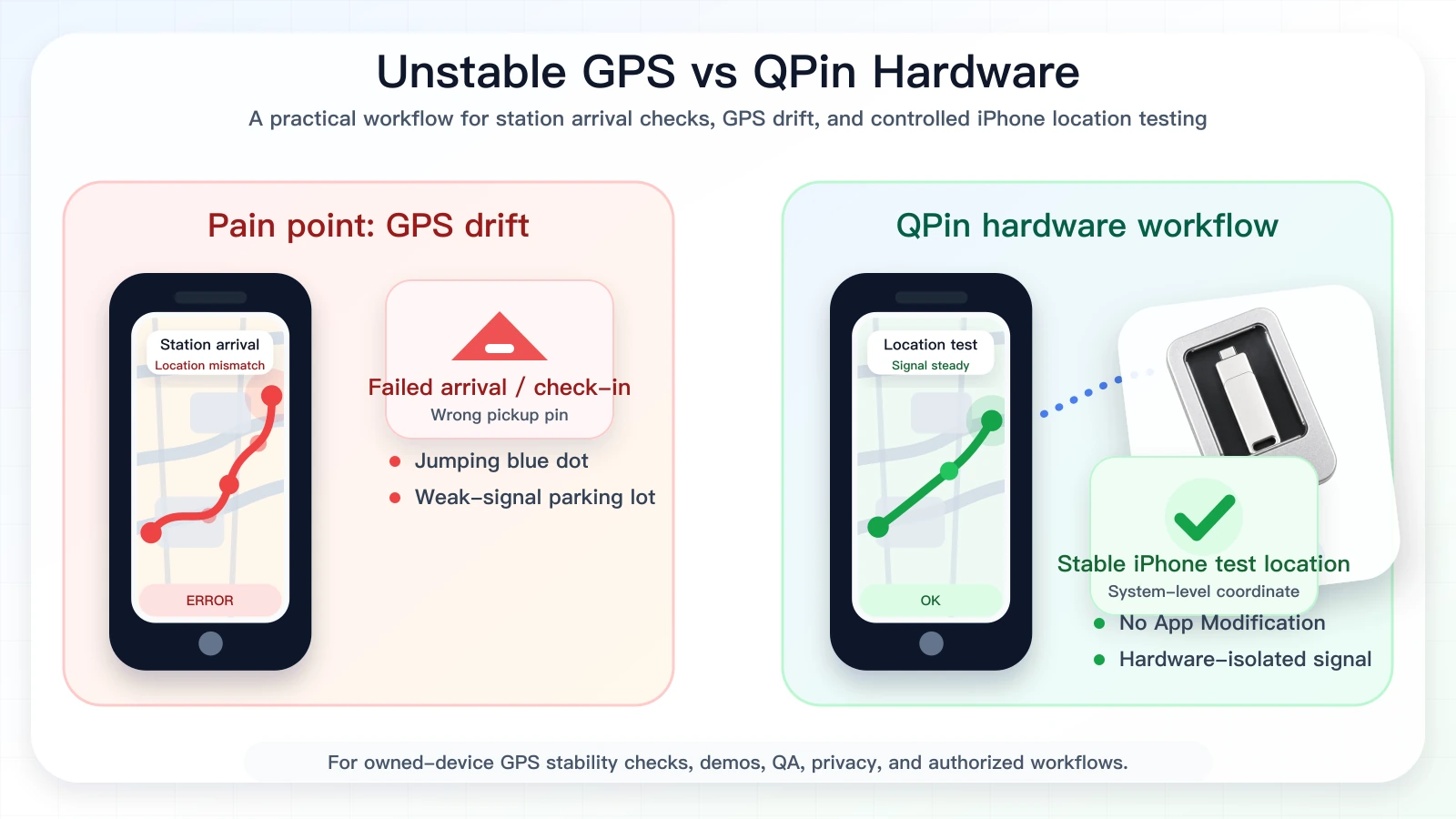
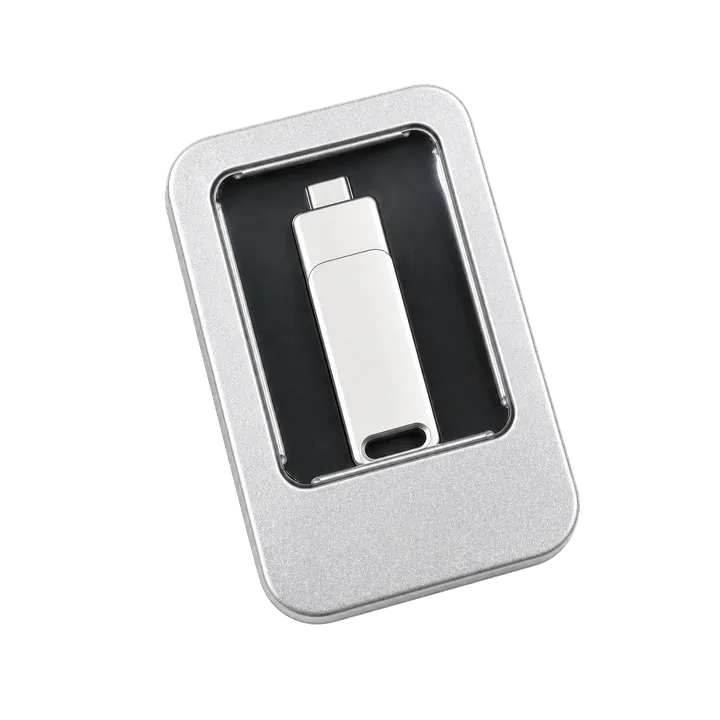
QPin is a hardware iPhone location modifier for controlled GPS workflows. When connected in a supported setup, it lets you choose a coordinate and apply that coordinate to the iPhone system location. Spark Driver screens that rely on iOS Location Services can then read that selected phone location.
This matters around Walmart because the problem is often not "the app is broken" or "the driver is far away." The problem is that the phone cannot hold a clean coordinate in a large parking lot. QPin lets you set a known point, keep the phone from jumping, and compare what Apple Maps, Spark Driver, and other location-based apps show from the same iOS system location.
The practical benefits:
- No jailbreak: keep the iPhone in a cleaner daily-use environment.
- No app modification: QPin does not edit or inject the Spark Driver app.
- Hardware isolation: location control comes from an external hardware workflow, not a patched app package.
- Stable coordinate testing: reproduce Walmart pickup-zone, curbside, and hotspot behavior from a chosen point.
- Car-friendly use: use it around real parking-lot workflows where GPS drift usually happens.
- Cross-app effect: iOS Location Services based apps can read the selected system coordinate.
QPin does not guarantee offers, check-in acceptance, route results, or account outcomes. It gives you control over the iPhone GPS coordinate. Spark Driver still controls its own business logic.
How to use QPin with Spark Driver location workflows
Use this workflow when you are testing your own iPhone, documenting GPS drift, reproducing a parking-lot issue, or running an authorized location workflow:
- Start with the real problem. Open Apple Maps and Spark Driver around the Walmart location and confirm whether the phone location is drifting.
- Check iOS permissions. Spark Driver should have Location Services access and Precise Location enabled.
- Choose the coordinate. Select the Walmart pickup area, curbside bay area, hotspot edge, or another point you are allowed to test.
- Connect QPin hardware or use QPin Desktop with the macOS/Windows setup guide.
- Apply the selected coordinate to the iPhone system location.
- Open Apple Maps first and confirm the phone appears at the selected location.
- Open Spark Driver and compare the app behavior against the same system location.
- Save screenshots if you are documenting GPS drift or a location-support issue.
- Stop the simulation and return the phone to real GPS when testing ends.
For portable setups, read the QPin Hardware Manual. If you use an Android device as a controller, see the QPin Android setup guide.
What to avoid
Avoid modified Spark Driver apps, cloned apps, jailbreak packages, random configuration profiles, and tools that promise guaranteed dispatch outcomes. Those claims usually blur three different things: changing an iPhone coordinate, changing what an app is allowed to do, and changing what a platform decides on its servers.
QPin is strongest at the first part: modifying and stabilizing the iPhone system location. It is a hardware GPS workflow, not a promise to override Spark Driver, Walmart, or any platform-side decision.
Buying QPin and payment options
If your goal is to mock or modify GPS on Spark Driver without jailbreak, start with the QPin product overview or the QPin Hardware product page. QPin is the better fit when you want a portable hardware workflow. QPin Desktop is useful when you prefer controlling iPhone location from a Mac or Windows computer.
The checkout flow supports crypto payment options such as USDT/USDC where available, which is useful for international customers who want fast, privacy-friendly settlement without a card-based checkout. Always use the official QPin website and follow the on-page payment instructions.
FAQ
Can QPin modify GPS for Spark Driver on iPhone?
Yes. In supported setups, QPin modifies the iPhone system GPS coordinate without jailbreak. Spark Driver screens that rely on iOS Location Services can read that selected phone location.
Is QPin safer than a modified Spark Driver app?
QPin does not modify the Spark Driver app package. It uses a hardware-based system-location workflow, which is cleaner than installing patched or cloned apps.
Can QPin lock my location inside a Walmart pickup area?
QPin can set the iPhone system location to a selected coordinate, such as a Walmart pickup or curbside area that you are allowed to test. Spark Driver may still apply its own geofence, account, timing, network, sensor, and policy checks.
Does QPin guarantee better Spark Driver offers?
No. QPin controls the iPhone GPS coordinate, not Walmart demand, dispatch logic, account state, customer orders, or platform-side decisions.
Do I need a computer in the car?
Not always. QPin supports portable hardware workflows. For desktop-based setup and route planning, QPin Desktop is available for Mac and Windows.
Related guides
- Spark Driver GPS spoofing and iPhone location stability
- Spark Driver location verification issues on iPhone
- Best iPhone GPS stability tool for delivery and ride-hailing drivers
- QPin Hardware Manual
- QPin Desktop for Mac and Windows
- iPhone GPS jumping or drifting fixes
FAQ
Can QPin mock or modify GPS on the Spark Driver app without jailbreak?
Yes. In supported setups, QPin changes the iPhone system location without jailbreaking the phone or modifying the Spark Driver app. Apps that rely on iOS Location Services can read the selected system coordinate.
Why does Spark Driver GPS drift around Walmart pickup zones?
Large parking lots, curbside canopies, metal structures, weak satellite visibility, Wi-Fi assistance data, and multipath reflections can make an iPhone jump several meters from the real parking bay.
Is QPin a modified Spark Driver app?
No. QPin is hardware for iPhone system-location control. It does not patch, clone, inject, or modify the Spark Driver app package.
Does QPin guarantee Spark Driver offers or check-in results?
No. QPin controls the iPhone system GPS coordinate. Spark Driver, Walmart, and their systems still control offers, account state, geofences, timing, network checks, sensor checks, and policy decisions.